IT resource management built on real labor cost data

ClickTime gives IT leaders visibility into where every hour goes—so you can plan capacity, justify headcount, and allocate CapEx and OpEx with confidence.

Get a demo

Labor cost visibility for IT

See exactly how your team's hours map to projects, cost centers, and budget categories

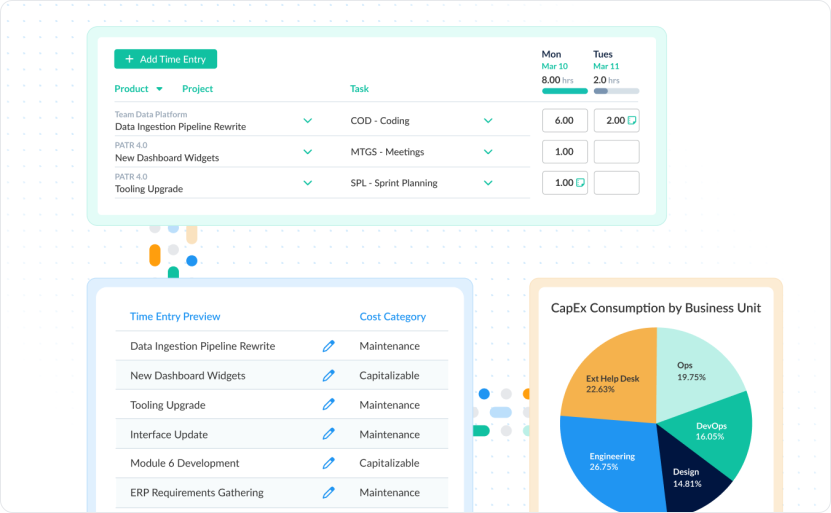
CapEx and OpEx allocation

Classify development labor correctly so finance gets the data they need without chasing your team

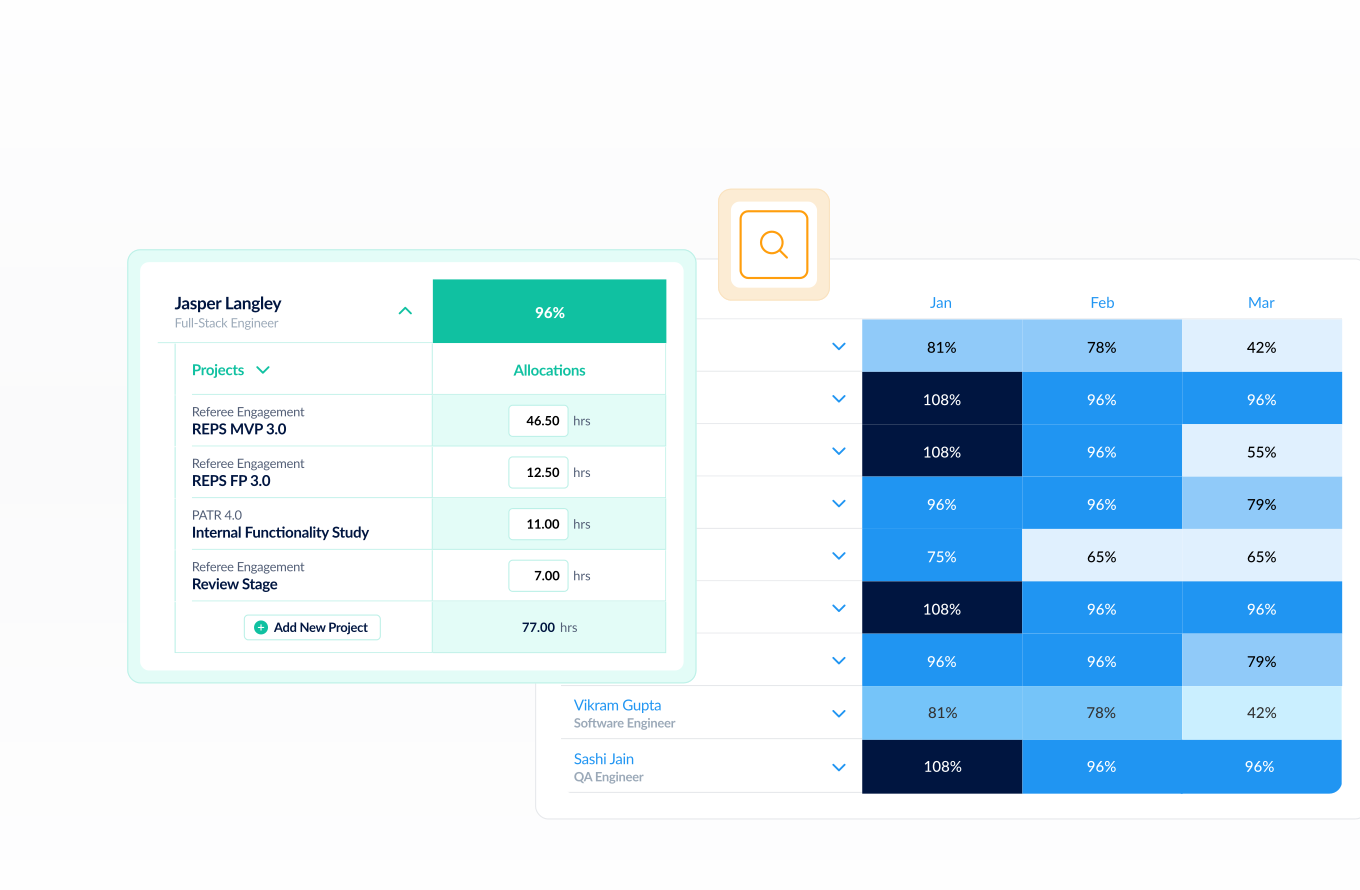
Capacity you can plan around

Know who's available, who's overloaded, and where to allocate next—based on actuals, not estimates

"ClickTime is an excellent product. We depend on them for all our time tracking, cost tracking, and reporting requirements"
Ankit Oza
Efficiency, Legacy Data Access

Track IT time without disrupting your team's workflow

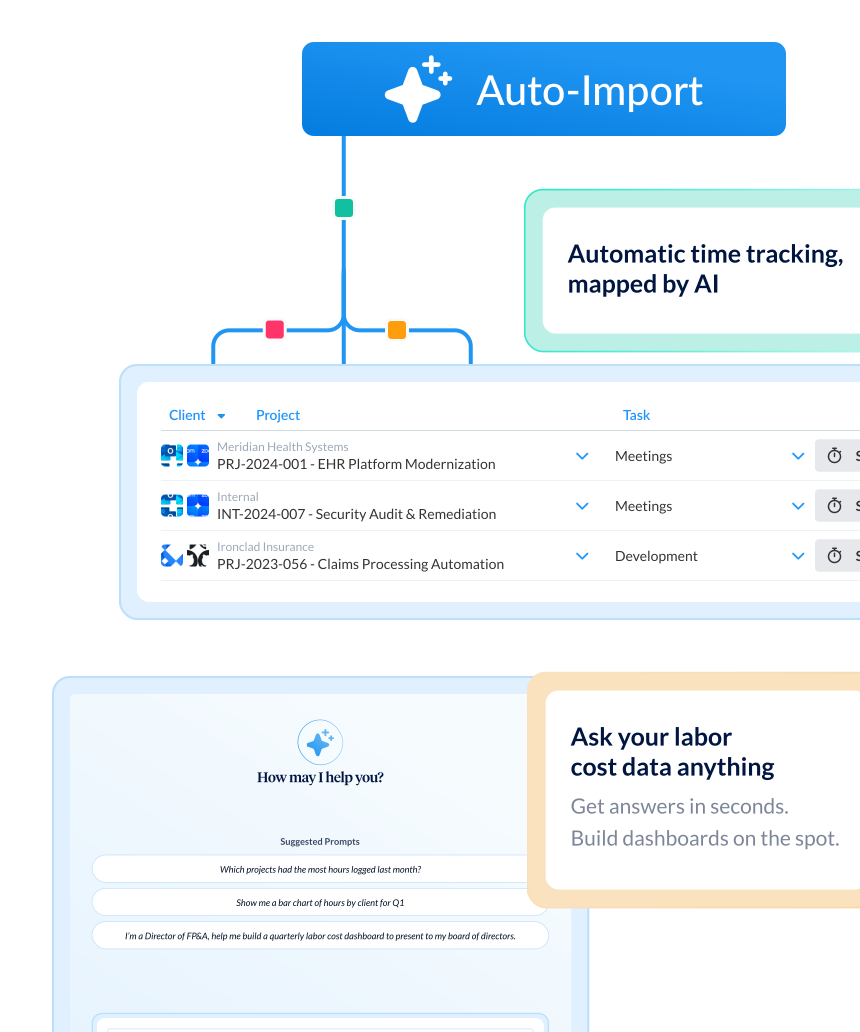
  • ClickTime AI maps activity from project management tools like Jira and Asana, calendars, and meeting software like Zoom into the project and cost codes finance and operations need—no manual re-entry required
  • Employees keep working in the tools they already use while ClickTime captures where time goes and what it costs
  • Track time from any device—iPhone, Android, laptop, or tablet—so distributed IT teams stay accounted for without added friction
Tagline

Allocate IT labor costs with data finance can trust

  • Map every hour to CapEx, OpEx, R&D, chargebacks, or internal cost centers at the point of entry—so classification is built in, not retrofitted
  • Give finance verified labor data that feeds directly into budget reporting and GL entries without reconciliation headaches
  • Reduce the 50% budget overrun risk that comes from improper labor cost tracking by replacing leadership estimates with actuals

Plan IT capacity and prove departmental value

  • Access real-time dashboards that show team utilization, project burn rates, and available capacity—so you can allocate resources before bottlenecks hit
  • Justify headcount requests with verified data showing exactly how current staff hours map to strategic priorities
  • Use time tracking data to demonstrate IT's contribution to revenue-generating projects, cost savings initiatives, and compliance requirements
Integrations

Purpose-built for accurate time data capture

View all integrations

Every entry includes approval workflows, complete change history, and instant reporting. Whether it's R&D tax credits, client billing disputes, or grant compliance, you have defensible records without scrambling through spreadsheets or Jira logs.

ClickTime AI
ClickTime AI
ClickTime AI
ClickTime AI
ClickTime AI
ClickTime AI
Integrations

Connect ClickTime to the tools your IT team already uses

View all integrations

ClickTime connects to your invoicing and financial systems so verified, approved hours flow directly into your billing workflow — no manual re-entry, no reconciliation before the invoice goes out. Every entry includes a complete approval history and change log, so when a client questions a charge, you have the record to back it up.

ClickTime AI
ClickTime AI
ClickTime AI
ClickTime AI

Solution FAQs

What is IT resource management?

IT resource management is the practice of planning, allocating, and tracking how IT team members spend their time across projects, cost centers, and strategic initiatives. Effective IT resource management requires accurate labor cost data—not estimates—so leaders can plan capacity, avoid bottlenecks, and align team effort with business priorities. ClickTime provides this visibility by capturing where every hour goes and translating it into finance-ready data.

How does time tracking help IT teams manage resources?

Time tracking gives IT leaders verified data on how team hours are distributed across projects, maintenance, meetings, and development work. Without it, resource decisions rely on manager estimates—which over half of organizations still depend on. With accurate time data, IT leaders can identify capacity gaps, redistribute workloads before burnout, and make headcount decisions backed by evidence rather than guesswork.

How does ClickTime handle CapEx and OpEx labor allocation for IT?

ClickTime lets you classify IT labor hours as CapEx, OpEx, R&D, or any custom cost category at the point of time entry. This means finance gets correctly categorized labor data without having to chase IT managers for reclassification after the fact. The result is audit-ready records that support capitalization decisions, tax credit claims, and accurate financial reporting.

What are the benefits of IT resource management software?

IT resource management software replaces spreadsheets and estimates with real-time visibility into team capacity, labor costs, and project allocation. Key benefits include reducing budget overruns, justifying headcount with verified data, correctly allocating labor for CapEx and OpEx reporting, and giving finance and IT a shared view of how team hours translate to costs. Nearly 32% of organizations still rely on spreadsheets for labor cost tracking—purpose-built software eliminates that risk.

Stop losing visibility into your largest expense

Book a demo
Ask a question