
Project time tracking that shows what every deliverable actually costs

ClickTime connects every project hour to real labor cost data—so project managers can track budgets, protect margins, and back up every number.

Get a demo

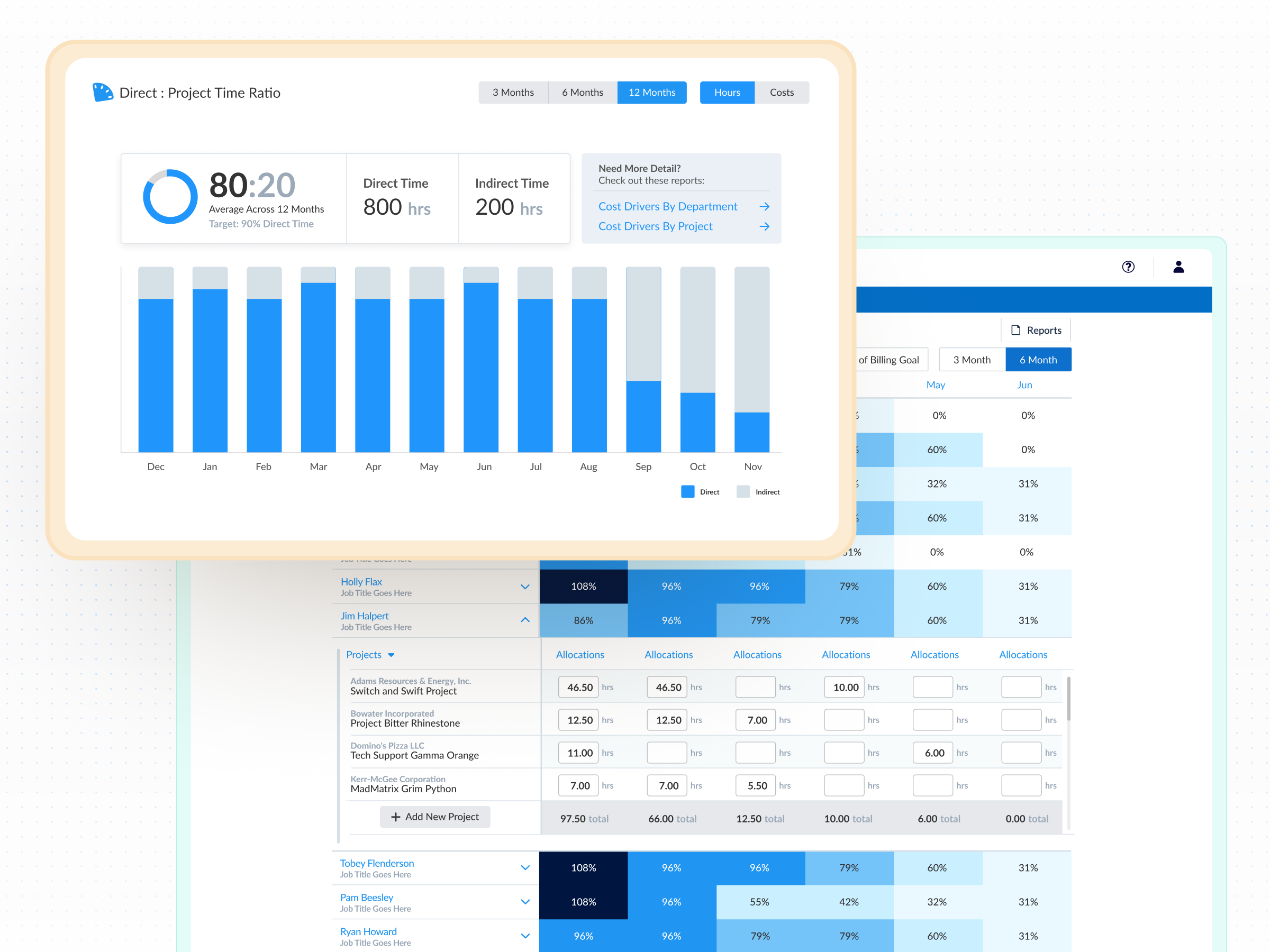
Know your burn before it burns you

See remaining budget in real time as hours are logged—no end-of-month surprises

Staff projects with confidence

Balance team workloads against upcoming capacity before commitments are made

Back up every number

Every logged hour has an approval trail—budget reviews, audits, and client disputes don't require digging through spreadsheets

Life with ClickTime is much more organized and planned. There's fewer surprises. There's more direct conversations being had. And we are planning for success rather than firefighting.
Director of Global Project Management

The data gap between project delivery and project cost

  • Spreadsheets track budget lines but go stale the moment something changes—31.8% of finance leaders still rely on them for complex labor cost tracking
  • PM tools track task completion, not labor spend—leaving project managers blind to true project costs until it's too late
  • Jira and GitHub show ticket status and commits, not what those tickets cost your organization in loaded labor rates, CapEx, or R&D spend
Tagline

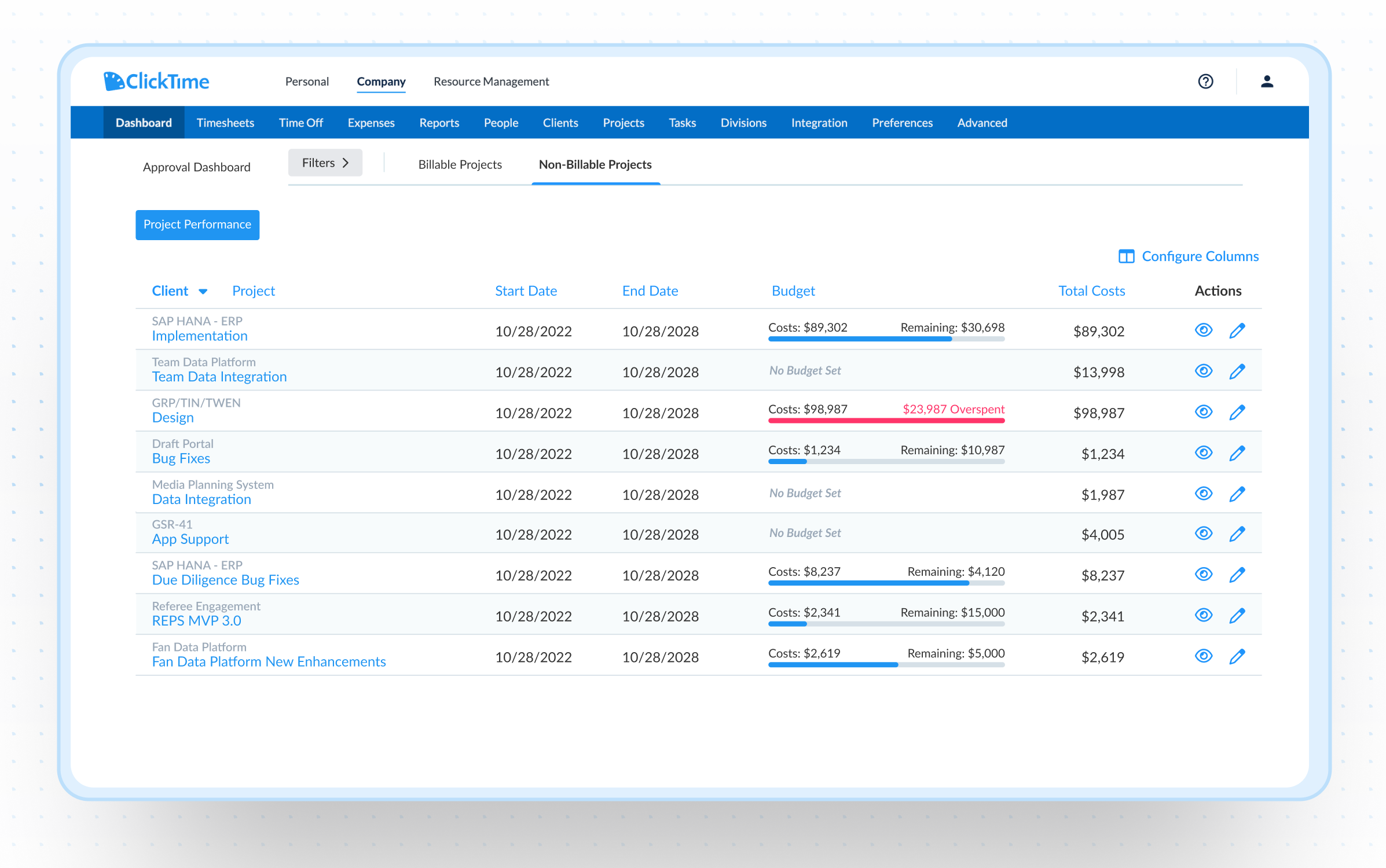
See project budget health before anyone has to ask

  • Project Performance Dashboard — Track time and budget health across billable and internal projects in one view, with labor costs updated as hours are logged
  • Budget alerts and cost rate configuration — Apply loaded labor rates per employee or role, and get notified before overruns happen—not after. Only 47% of organizations can forecast future project costs effectively
  • AI-assisted time entry — Map calendar events from meetings, deep work, and collaboration sessions to finance-defined categories like GL codes, CapEx, OpEx, R&D, and bug fixes—so every hour carries the context finance needs without manual reclassification

Know who's available before you make promises

  • Capacity planning — See utilization across your team weeks or months out, with planned time off factored into every view so staffing decisions reflect reality
  • Real-time allocation — Adjust assignments when priorities shift, with full budget impact visible before changes are committed
  • Cross-team visibility — Whether you manage engineers, consultants, or cross-functional teams, see who has room to absorb work—and who doesn't—before the commitment is made
Integrations

Purpose-built for accurate time data capture

View all integrations

Every entry includes approval workflows, complete change history, and instant reporting. Whether it's R&D tax credits, client billing disputes, or grant compliance, you have defensible records without scrambling through spreadsheets or Jira logs.

ClickTime AI
ClickTime AI
ClickTime AI
ClickTime AI
ClickTime AI
ClickTime AI
Integrations

Connect the tools your teams already use

View all integrations

ClickTime connects to your invoicing and financial systems so verified, approved hours flow directly into your billing workflow — no manual re-entry, no reconciliation before the invoice goes out. Every entry includes a complete approval history and change log, so when a client questions a charge, you have the record to back it up.

ClickTime AI
ClickTime AI
ClickTime AI
ClickTime AI
ClickTime AI
ClickTime AI
ClickTime AI

Solution FAQs

What is project time tracking and why does it matter for budgeting?

Project time tracking is the practice of recording hours worked against specific projects, tasks, and cost categories. When done well, it connects labor hours to actual costs—giving project managers and finance leaders accurate budget data instead of estimates. Without it, organizations often discover budget overruns after the fact: 50.1% of finance leaders have experienced budget overruns from improper labor cost tracking.

How does time tracking software integrate with project management tools?

ClickTime integrates with tools like Jira, GitHub, calendars, and Zoom to pull work context into time entries without requiring double entry. This means project managers keep using their existing PM tools for task management while ClickTime captures the labor cost data those tools don't provide. The result is accurate project cost data that finance can trust without adding burden to the team.

Can time tracking software help with project budgeting and profitability?

Yes—but only if it connects hours to actual labor costs. Most time tracking tools log hours without tying them to loaded labor rates, cost categories, or budget thresholds. ClickTime applies cost rates per employee or role, maps hours to finance-defined categories like GL codes and CapEx, and alerts managers before budgets are exceeded. This gives project managers real-time visibility into project profitability—not just hours worked.

What is the difference between project time tracking and employee monitoring?

Project time tracking captures how labor hours are allocated across projects, clients, and cost categories to inform budgeting, billing, and financial reporting. Employee monitoring tracks individual behavior—keystrokes, screenshots, or GPS location. ClickTime is a labor cost visibility tool, not a surveillance tool. The goal is finance-ready project data, not policing how people spend their day.

Stop losing visibility into your largest expense

Book a demo
Ask a question

Stop managing project costs in the dark

See how project managers use ClickTime to protect margins, balance workloads, and deliver with confidence—whether they're billing clients or reporting to leadership.

Book a demo
Ask a question