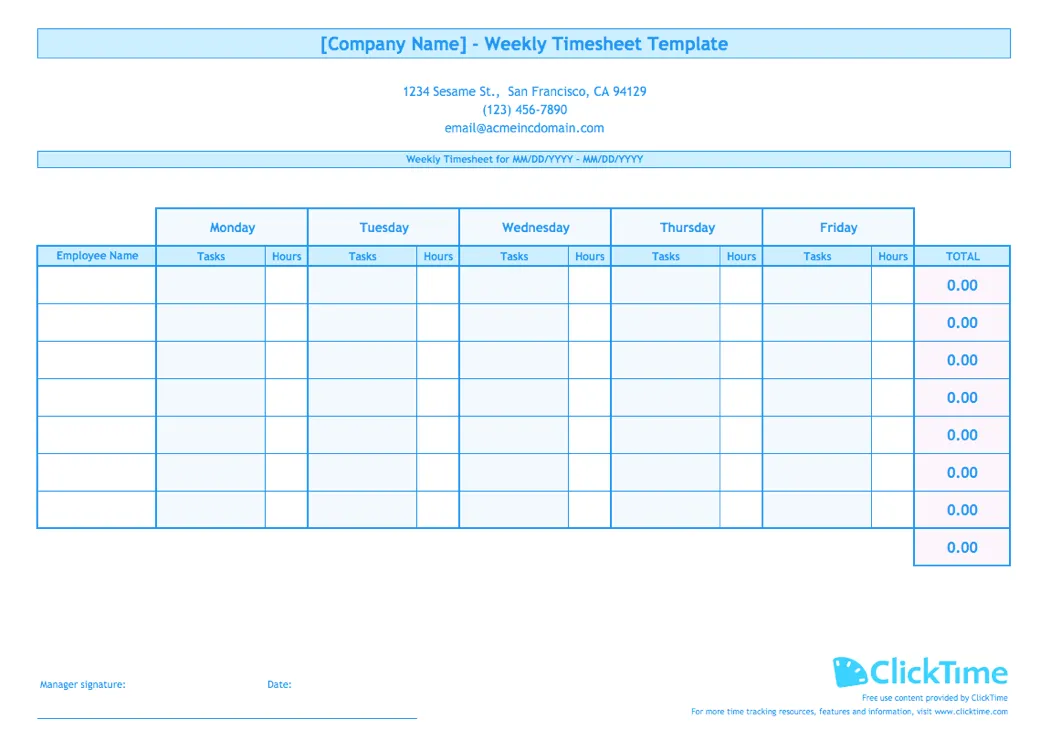
Multiple employee timesheet template for Excel
Managing timesheets for multiple employees shouldn't mean juggling separate spreadsheets for every team member. Whether you need to track employee hours, calculate overtime, or monitor payroll, a consolidated timesheet template keeps all your employee hours in one place.
Our free timesheet template for multiple employees lets you track work hours with free, customizable fields for your entire team on a single spreadsheet—no formulas to build, no formatting to figure out. Download this Excel timesheet template, customize it for your pay period, and start tracking employee time today.
Weekly timesheet template for multiple employees
This weekly timesheet template is designed for organizations that need to track employee hours across an entire team. Instead of collecting individual timesheets from each person, you get a single view of who worked when, on which tasks, and for how long.
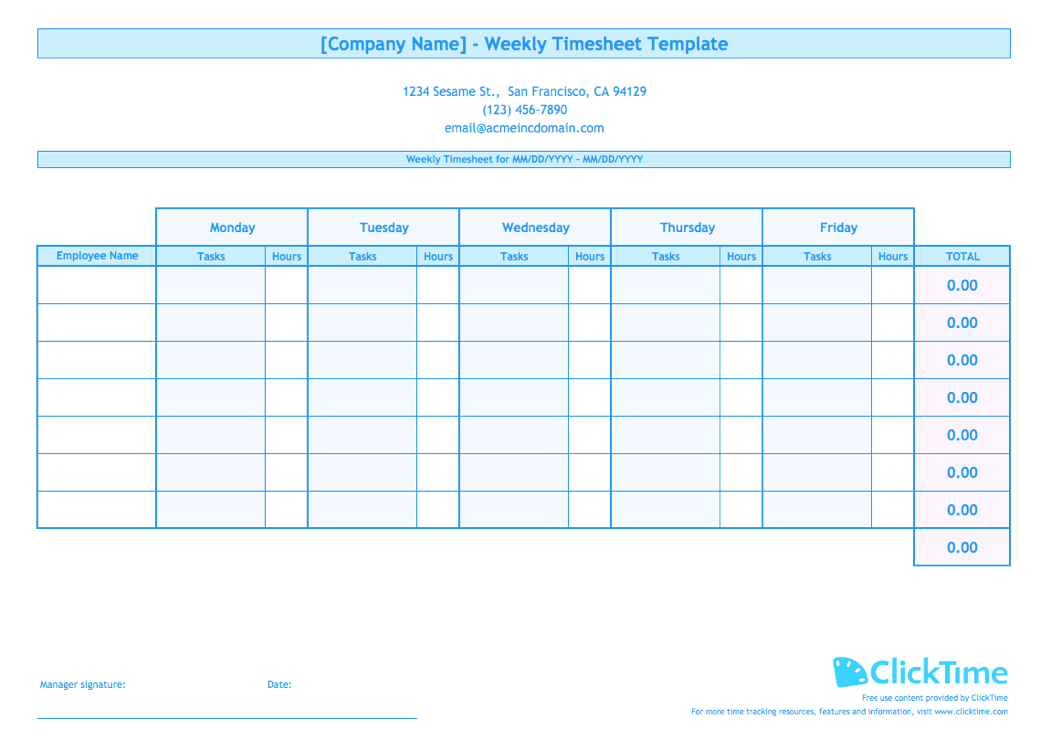
The template includes sections to record start and end times, calculate total hours, and track work hours by project or task. It's ideal for businesses that need to monitor employee productivity while keeping payroll records accurate. Use this template to track regular hours and overtime hours worked beyond the standard workweek.
What this employee timesheet template includes
Our timesheet template for multiple employees comes with everything you need to manage employee hours effectively:
- Employee information fields: Name, department, and pay rate for each team member
- Daily time entry rows: Space to record hours worked for each day of the pay period
- Automatic calculations: Built-in formulas to calculate total hours, overtime hours, and wages
- Task tracking columns: Record project names and which tasks each employee worked on
- Weekly totals: See at-a-glance how many hours each employee logged
The spreadsheet format makes it easy to customize—add columns for billable hours, adjust the pay period length, or include fields for PTO and sick time. Timesheet templates help you maintain accurate records without building Excel formulas from scratch.
Track time by task and project
Knowing total hours is useful, but understanding where those hours went is what helps you make better decisions. This timesheet template lets your employees track time against specific tasks and projects, so you can see resource allocation at a glance.
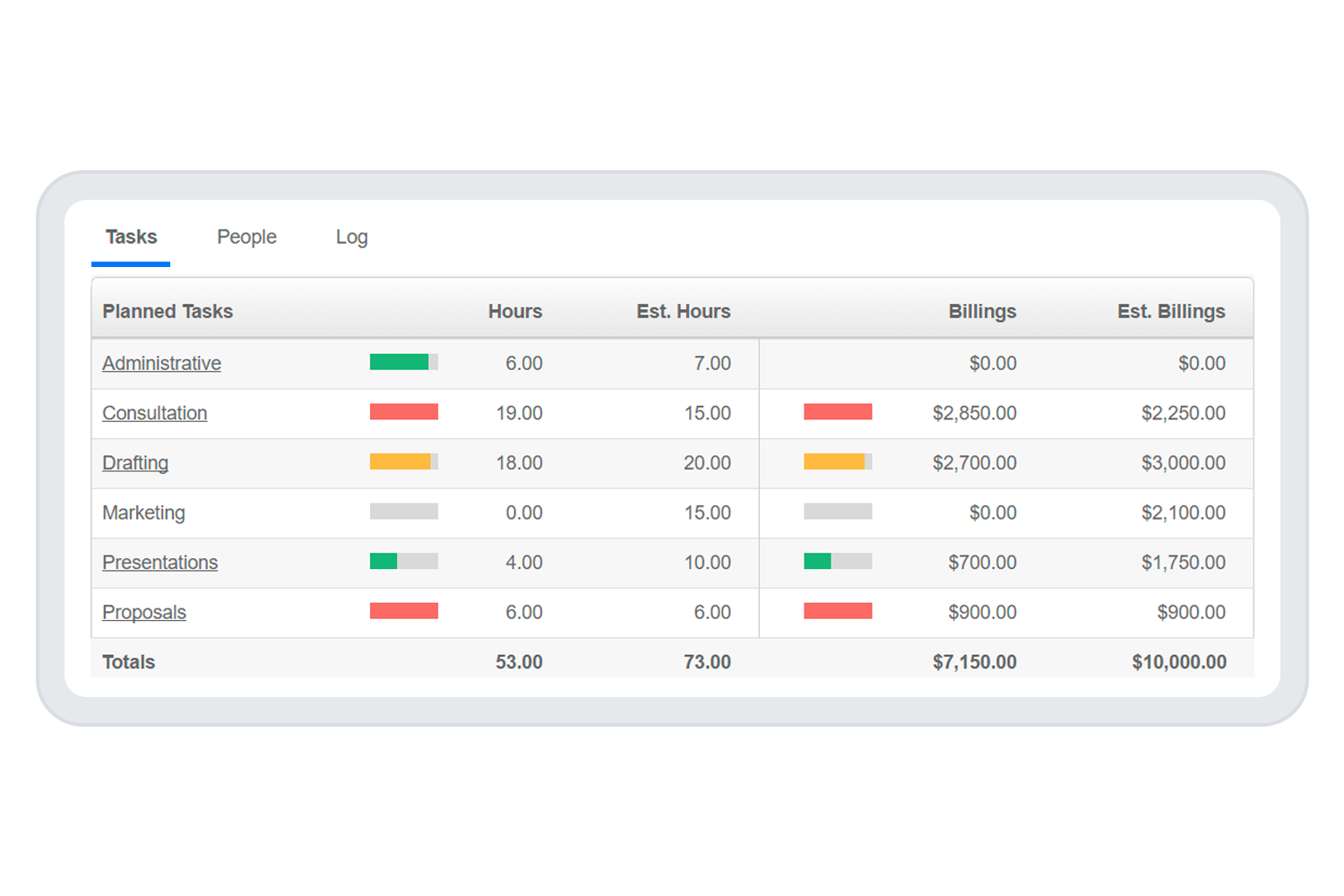
For teams tracking billable work, this visibility helps you monitor project budgets and avoid scope creep before it impacts your margins. A project timesheet template like this one makes it easy to track hours and overtime across multiple client engagements.
Multiple employees, single source of data
When timesheets live in separate files or paper forms, reconciling payroll becomes a manual, error-prone process. A consolidated Excel timesheet template gives you one place to review all employee hours, making payroll processing faster and more accurate.
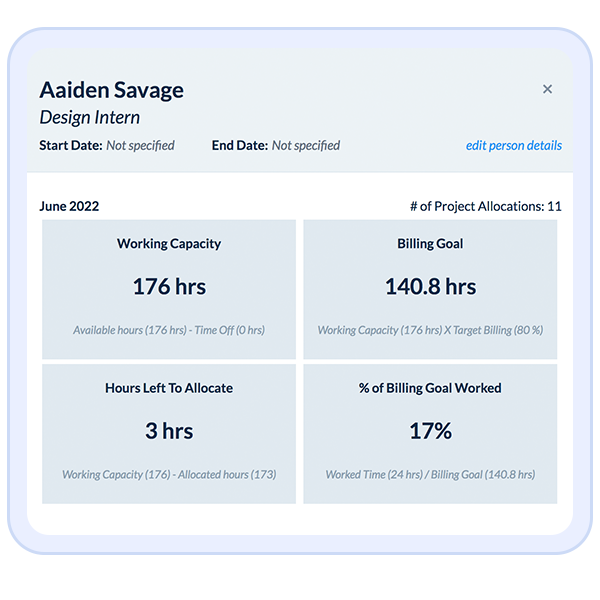
The template automatically calculates regular and overtime hours based on the timesheet data you enter, so you can quickly verify totals before running payroll. According to the Fair Labor Standards Act, employers must maintain accurate records of hours worked—a well-maintained timesheet template in Excel helps you stay compliant.
Types of timesheet templates for multiple employees
Different pay schedules and workflow requirements call for different timesheet formats. Here are the most common options:
Weekly timesheet template
Best for teams paid weekly or those who need frequent visibility into hours worked. Our free timesheet template uses this format, making it easy to track employee time week by week. Weekly timesheets work well for hourly employees who need detailed daily records.
Biweekly timesheet template
Covers a two-week pay period—the most common payroll cycle in the U.S. You can adapt our weekly template by extending the date range to cover 14 days. This format helps you calculate overtime for employees who work extra hours worked beyond 40 hours per week.
Monthly timesheet template
Useful for salaried employees or project-based time tracking where weekly detail isn't necessary. A monthly timesheet template works well for tracking monthly hours against project budgets and is ideal for businesses that need to monitor long-term resource allocation.
Daily timesheet template
Provides the most granular view of employee work hours. A daily timesheet template captures detailed daily start and end times, useful for hourly employees or jobs requiring precise time records. Daily templates are particularly helpful for tracking and payroll in industries with shift-based schedules.
How to use the weekly timesheet template
Getting started with our free Excel timesheet template takes just a few minutes:
Getting started
- Download the weekly Excel timesheet template
- Open the file in Microsoft Excel or Google Sheets
- Save a copy as [Company Name] Timesheet
Setting up the timesheet template
- Add your company name at the top of the spreadsheet
- Update the address, phone number, and email
- Enter the date range for the weekly pay period
Using the Excel timesheet template
- Enter each employee's name and pay rate
- Have employees record their tasks and daily hours for the week
- Review the total hours and overtime calculations
- Verify the timesheet data before processing payroll
The built-in formula cells will calculate totals automatically, so you don't need to build Excel formulas from scratch. This template in Excel for payroll reporting makes it easy to export data for your accounting system.
Using timesheet templates vs. time tracking software
Timesheet templates are a great starting point for small teams, but they have limitations as your organization grows. Here's how they compare:
Benefits of using timesheet templates
- Free to use: No software costs—just download customizable timesheet templates and get started
- Familiar format: Most employees already know how to use Microsoft Excel or Google Sheets
- Fully customizable: Add or remove columns to match your workflow
- Printable: Create a printable timesheet for payroll records or employee signatures
Limitations of manual timesheets
- Manual data entry: Employees must remember to fill in their hours, often leading to inaccurate or late submissions
- No real-time visibility: Managers can't see hours worked until timesheets are submitted
- Error-prone: Manual entry and copy-paste errors can affect payroll accuracy
- Limited reporting: Analyzing trends across multiple pay periods requires additional work
- Compliance risk: Incomplete or inconsistent records may not satisfy audit requirements
If you're spending too much time chasing down timesheets or fixing errors, dedicated time tracking software can reduce administrative burden while providing finance-ready data for reporting and payroll.
When to move beyond multiple employee timesheet templates
Spreadsheet-based timesheets work well for small teams with straightforward time tracking needs. But as your organization grows, manual timesheets often become a bottleneck.
Consider upgrading to an online timesheet solution or time tracking software when you experience:
- Late or missing timesheets requiring constant follow-up
- Payroll errors from manual data entry
- Difficulty tracking billable hours across multiple projects
- Compliance concerns about maintaining accurate payroll records
- Growing team size making spreadsheet management unwieldy
ClickTime helps organizations track employee hours, manage project budgets, and generate finance-ready reports—without the manual work of spreadsheet timesheets. Features like approval workflows ensure timesheets are reviewed before payroll, reducing errors and keeping records audit-ready.
Time tracking features that go beyond templates
If you're ready to move beyond manual timesheets, ClickTime offers capabilities that spreadsheets can't match:
- Mobile time entry: Employees can track time daily from anywhere, not just at their desks
- Automatic reminders: No more chasing employees for late timesheets—the system sends reminders automatically
- Real-time dashboards: See hours worked and project status as time is logged, not days later
- Overtime alerts: Get notified before overtime hours become a budget issue
- Integrations: Connect with accounting, payroll, and project management tools you already use
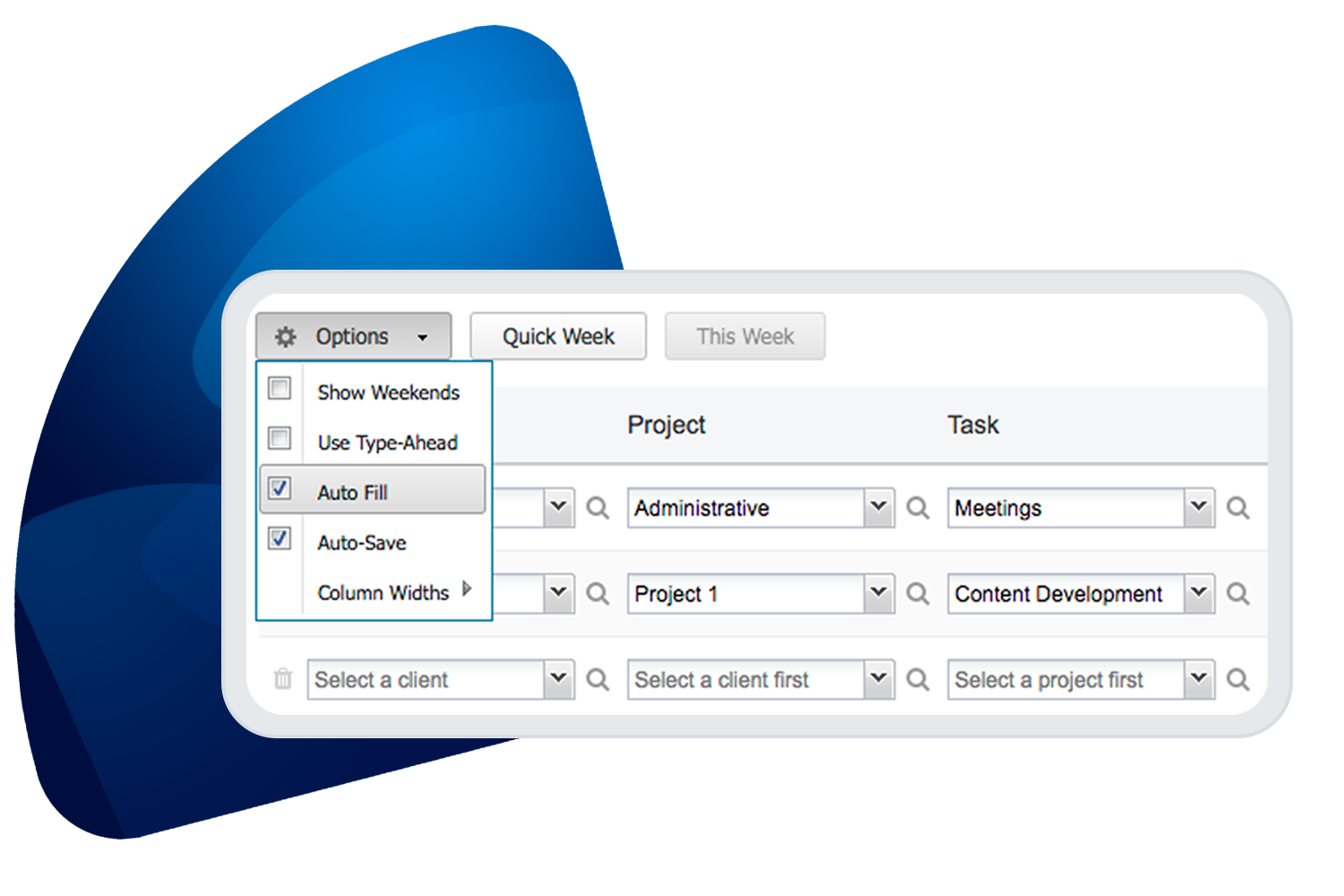
Put simply, online timesheets save you time. ClickTime remembers common tasks and auto-suggests entries as employees track time, making time entry faster and more accurate than filling out a spreadsheet.
Download the free timesheet templates
Ready to start tracking employee hours? Download our free employee timesheet template for multiple employees and begin managing your team's time today. The Excel format works with Microsoft Excel, Google Sheets, or any compatible spreadsheet application.
Templates for multiple employees make it simple to keep track of hours worked across your entire team. If you find yourself outgrowing spreadsheets, try ClickTime free to see how dedicated time tracking software can save hours of administrative work while giving you better visibility into where your team's time goes.