Calendar time tracking that maps to your financial structure

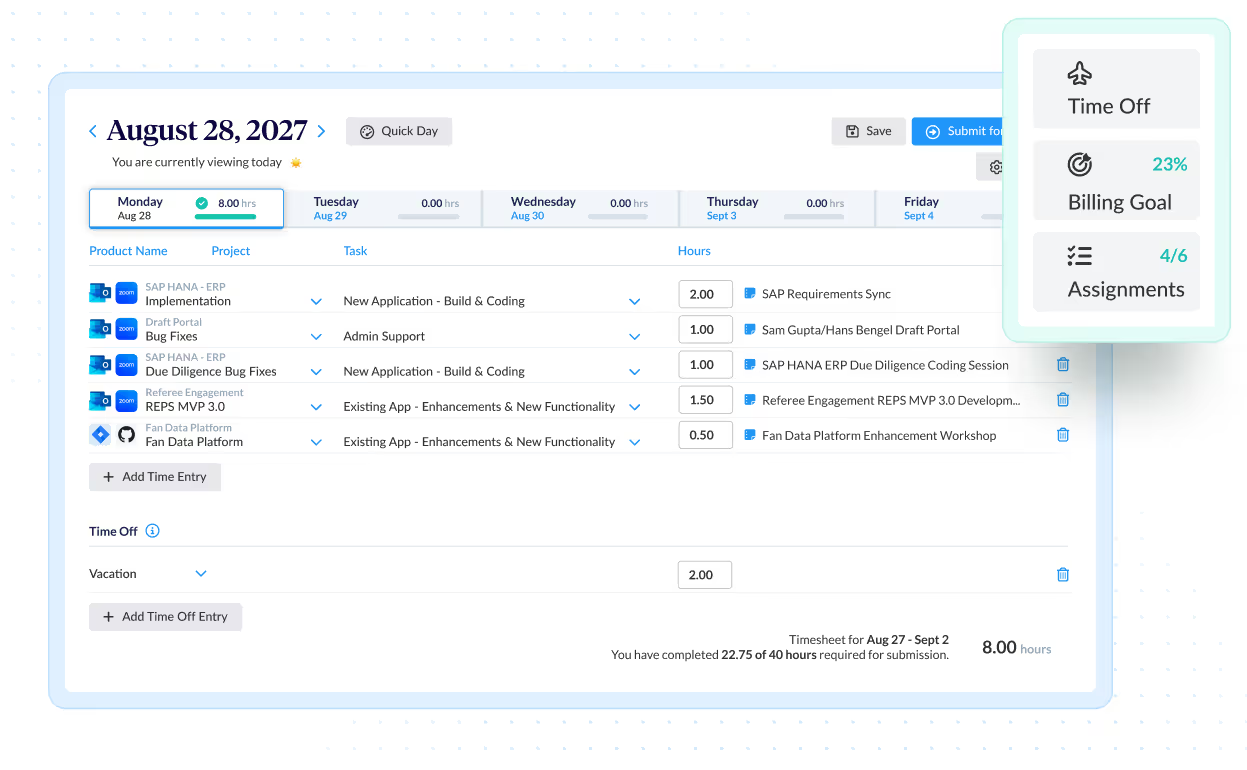
ClickTime imports calendar events and maps them to GL codes, CapEx, OpEx, R&D, and other finance categories—so every hour is tracked and classified correctly.

Get a demo

Calendar time tracking that maps to your financial structure

ClickTime imports calendar events and maps them to GL codes, CapEx, OpEx, R&D, and other finance categories—so every hour is tracked and classified correctly.

Get a demo
Trusted by thousands of companies of all sizes

AI time tracking that doesn't sacrifice financial accuracy

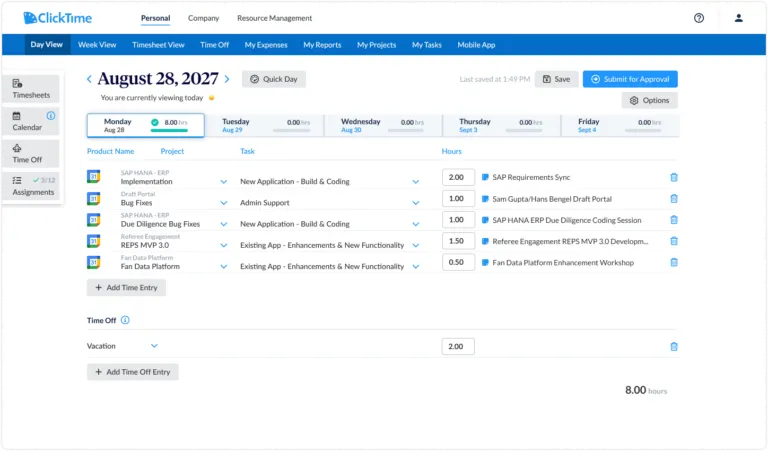
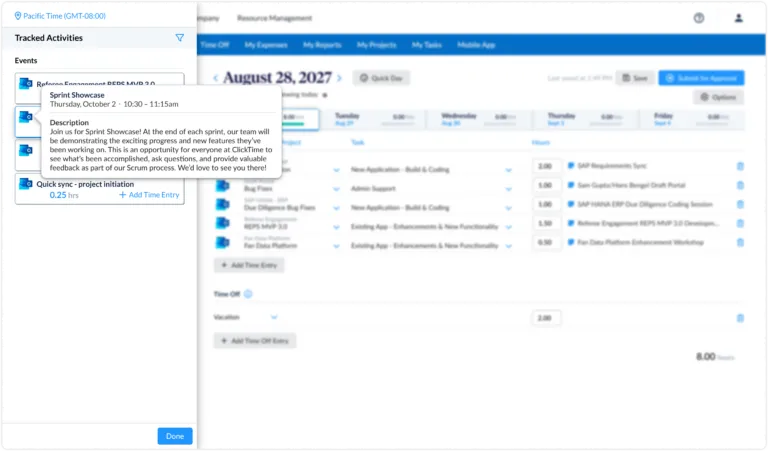
Your calendar already knows where your team's time goes—client calls, project meetings, sprint reviews, internal syncs. The problem is turning that calendar data into something finance can actually use. ClickTime's Connected Calendar imports events from Google Calendar, Outlook, and other calendars, then uses AI to map each event to the categories that matter to finance: GL codes, CapEx, OpEx, R&D, and more. Employees review and confirm with one click. Finance gets labor cost data they can trust—categorized, verified, and ready for reporting.

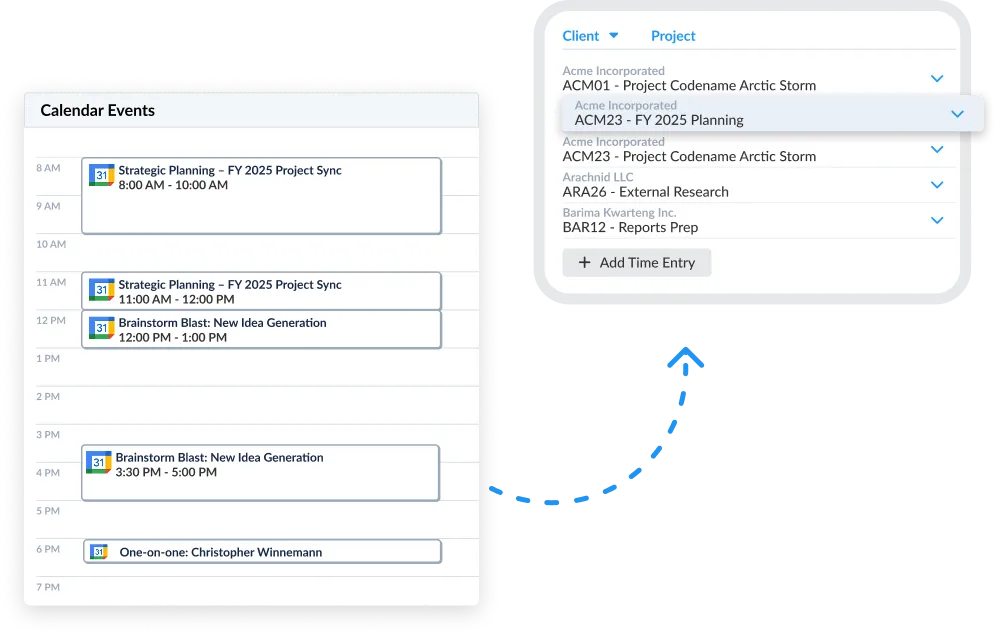
AI-suggested categorization

ClickTime AI reads imported calendar events and suggests the right project, task, and cost category for each one—turning time entry into a one-click review

Finance-ready from the start

Every confirmed entry maps to your GL codes, cost centers, and financial structure—not a generic bucket of meeting titles

Works across your organization

Integrates with Google Calendar, Outlook, Jira, GitHub, Zoom, and more—so every team captures time the same way

Turn calendar events into finance-ready labor cost data

  • Map hours to the categories finance needs. Calendar events are matched to your established GL codes, cost centers, CapEx, OpEx, and R&D classifications—preserving the financial structure your reporting depends on
  • Strengthen CapEx and R&D credit defensibility. Support capitalization and tax credit claims with structured, verifiable time data tied to actual work—nearly 25% of organizations have lost R&D tax credits due to inadequate documentation
  • Plan budgets with reliable historical data. Categorized labor data by project and role helps you forecast costs, allocate resources, and justify headcount with actuals instead of estimates

Recover billable hours and protect project margins

  • Capture billable time that slips through the cracks. Client calls, working sessions, and project meetings are pulled from your calendar—not reconstructed from memory at week's end
  • Spot overruns before they hit the invoice. Real-time budget visibility helps project managers catch margin erosion early and adjust before close
  • Bill faster with accurate, coded time entries. Time entries map directly to client projects and billing codes, reducing invoice errors and cutting time-to-bill

See where your team's time actually goes—and what it costs

  • Identify low-ROI time sinks. When every calendar event is categorized by project and cost type, you can see if teams are spending too much time in meetings, on non-billable work, or on projects that aren't earning a return
  • Employees review, not reconstruct. Calendar events populate in ClickTime with AI-suggested categories already applied—employees confirm what's right and adjust what isn't, in minutes instead of hours
  • Audit-ready records without the admin burden. Every confirmed entry is timestamped, tied to the right project, and preserved in a complete audit trail—whether the review comes from a client, an auditor, or your CFO
Integrations

Purpose-built for labor cost data, not pieced together

View all integrations

Every entry includes approval workflows, complete change history, and instant reporting. Whether it's R&D tax credits, client billing disputes, or grant compliance, you have defensible records without scrambling through spreadsheets or Jira logs.

ClickTime AI
ClickTime AI
ClickTime AI
ClickTime AI
ClickTime AI
ClickTime AI

Feature FAQs

How does ClickTime use calendar events for time tracking?

ClickTime's Connected Calendar imports events from Google Calendar, Outlook, and other calendar tools directly into the time tracking interface. ClickTime AI then suggests the right project, task, and financial category for each event. Employees review the suggestions and confirm with one click—turning calendar data into verified, finance-ready time entries without manual reconstruction.

Can ClickTime map calendar time to financial categories like GL codes and CapEx?

Yes. ClickTime maps each calendar event to your organization's established financial structure—including GL codes, cost centers, CapEx, OpEx, and R&D classifications. This means finance gets categorized labor cost data that's ready for reporting, capitalization tracking, and labor cost management without manual recoding.

What are the benefits of using a time tracking calendar integration?

A calendar integration eliminates the need to reconstruct work hours from memory at the end of each week. It captures meetings, focus blocks, and project work as they happen—then maps that time to the right financial codes. The result is more accurate labor cost data, fewer missed billable hours, and audit-ready records that finance can trust for reporting and compliance.

What integrations does ClickTime support for calendar time tracking?

ClickTime integrates with Google Calendar, Outlook, Jira, GitHub, and Zoom—covering teams across your entire organization, not just engineering. Calendar events sync into ClickTime where AI suggests the appropriate project and cost category, and data flows into your existing financial reporting structure without double entry.

Start syncing your calendar

Book a demo
Ask a question

Stop losing visibility into your largest expense

Book a demo
Ask a question