What is a timesheet calculator?
A timesheet calculator is a free tool that helps you calculate hours worked from clock-in and clock-out times. Whether you're tracking your own hours or managing employee time cards, a time card calculator does the math for you—totaling daily hours, weekly hours, break time, and overtime hours so you can prepare accurate payroll.
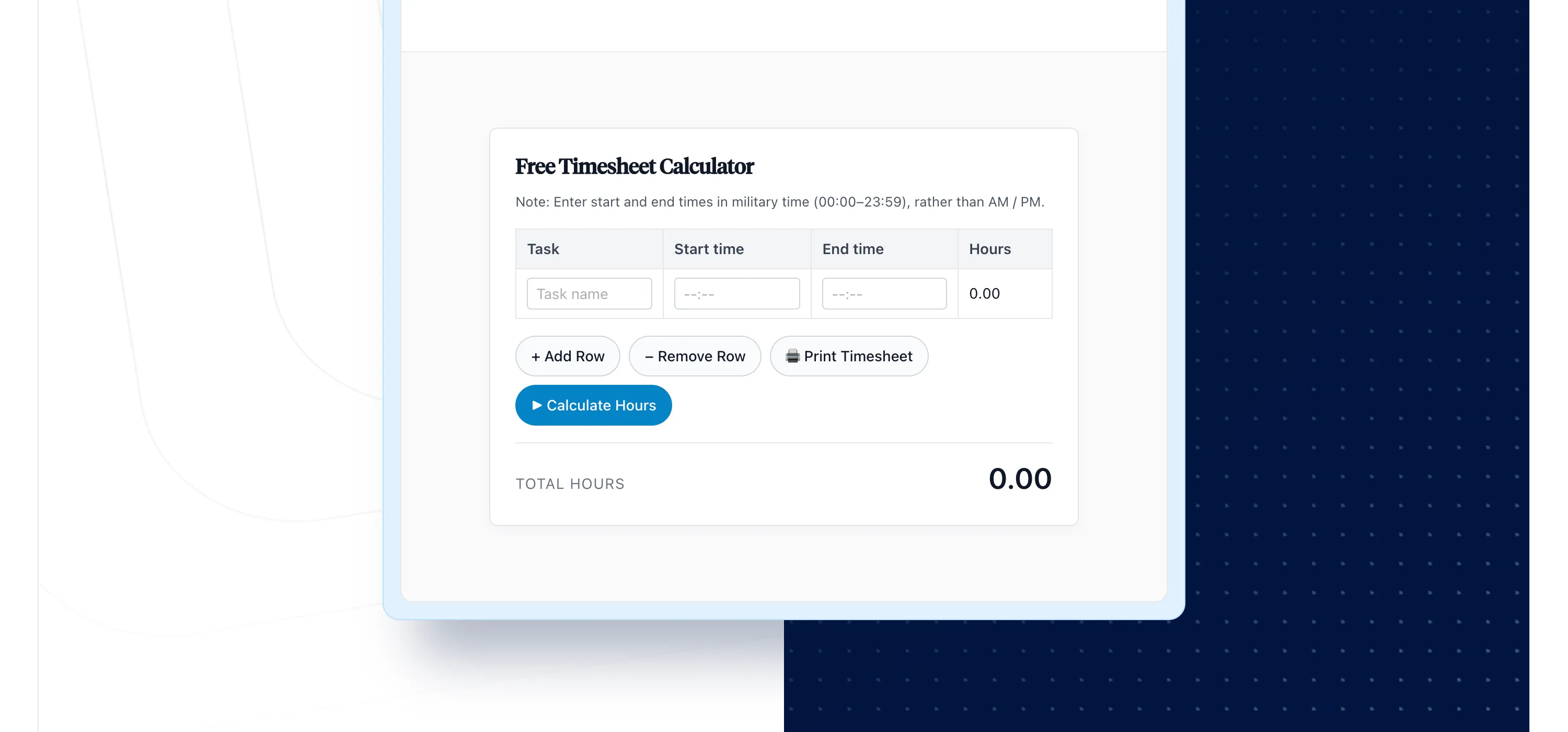
Our free time card calculator below lets you enter start time and end time for each day, deduct lunch breaks, and see your total hours worked at a glance. This calculator is a free resource you can use for any pay period: weekly time card tracking, bi-weekly, or monthly.
How to use this free online time card calculator
- Enter your clock-in and clock-out times for each day (the calculator works with standard or military time format)
- Add break time or lunch break duration to deduct unpaid time
- The time card calculator automatically totals hours worked, including regular hours and overtime hours
- Add rows to track time across more tasks or projects throughout your work period
- Print your time sheet or export it for payroll processing
This free timesheet calculator is compatible with any pay period. Simply enter your employee's start time and end times, and the work hours calculator does the rest. The calculator allows you to adjust settings based on your specific needs.
Who uses a time card calculator?
A time card calculator is an invaluable tool for anyone who needs to track time and calculate employee work hours for payroll:
- Employees tracking their own hours worked for timesheet submission
- Managers reviewing employee time cards before payroll runs
- Small business owners calculating work hours for payroll without dedicated time clock software
- Freelancers and contractors logging billable hours and billable time for client invoicing
- HR and payroll teams verifying time card calculations before processing
If you're spending too much time manually adding up hours and minutes, this calculator helps you calculate employee time quickly and accurately. A free work hours calculator like this one eliminates manual math errors.
How to calculate overtime with a time card calculator
Most employees earn overtime pay for hours worked over 40 hours per week. Our time card calculator automatically identifies overtime hours once you exceed the 40-hour threshold.
Here's how overtime calculations typically work:
- Regular hours: The first 40 hours per week at your standard rate
- Overtime hours: Any hours worked over 40, typically paid at 1.5x your regular rate
- Double time: Some states or employers pay 2x for hours beyond a certain threshold
The calculator totals your regular and overtime hours separately, making it straightforward to calculate total work hours and prepare accurate payroll. This payroll hours calculator handles all the math so you can focus on reviewing the number of hours worked rather than calculating them. For compliance with the Fair Labor Standards Act (FLSA), always verify overtime rules for your state and employee classification.
How do breaks and lunch break deductions work?
Most employers require employees to clock out for meal breaks. This time card calculator with lunch deductions lets you subtract break time from your total hours worked—making it a true calculator with breaks built in.
To calculate hours worked with lunch breaks:
- Enter your start time and end time for the full work period
- Enter your lunch break duration (typically 30 or 60 minutes)
- The calculator automatically subtracts break time from your daily hours
For example, if you worked from 8:00 AM to 5:00 PM with a 1-hour lunch, the calculator shows 8 hours worked—not 9. This ensures your time cards reflect actual time worked for payroll accuracy. The calculator is designed to handle any break configuration you need.
How to convert time to decimal hours format
Payroll systems often require decimal hours rather than hours and minutes. Converting time in hours and minutes to decimal format is essential for accurate payroll calculations.
Here's the quick conversion: divide minutes by 60 to get the decimal equivalent.
- 15 minutes is 0.25 hours
- 30 minutes = 0.50 hours
- 45 minutes = 0.75 hours
So if you worked 41 hours and 15 minutes, your decimal time is 41.25 hours. Our calculator handles this conversion automatically, displaying both time in hours and minutes and decimal hours for your convenience. You can convert time between formats with a single click.
What to watch out for when calculating time cards
Even with a calculator, time card calculations can go wrong. Here are the most common timesheet calculation mistakes to avoid:
- Forgetting to deduct breaks: Unpaid lunch and break time must be subtracted from total work hours
- Mixing time formats: Be consistent with standard or military time format throughout your time sheet
- Rounding errors: Small rounding differences add up over a pay period—use exact times when possible
- Missing overtime thresholds: Ensure hours worked over 40 are flagged for overtime pay
- Overnight shifts: Shifts crossing midnight require special handling—make sure your calculator supports this
A reliable time card calculator helps you avoid these errors and calculate the total hours worked accurately. The calculator is provided as a free resource, but the best solution for ongoing needs is time tracking software that captures accurate time automatically.
When is a free timesheet calculator not enough?
A free online time card calculator works well for basic time tracking, but growing teams often need more. Here's when to consider upgrading to dedicated time tracking software:
- Managing multiple employees: Tracking employee time cards for a team requires more than a calculator can offer
- Needing approval workflows: Managers need to review and approve timesheets before payroll
- Tracking projects and clients: You need to know where employee hours go, not just how many
- Requiring audit-ready records: Finance needs verifiable data that stands up to scrutiny
- Integrating with payroll: Manual data entry between systems creates errors and wasted time
If you're spending hours each week on time card calculations, it's time to explore time clock software that calculates hours automatically and tracks weekly work hours across your entire team.
ClickTime: Calculate work hours and track weekly time automatically
ClickTime automatically calculates your total daily and weekly hours—whether you're using the stopwatch, entering start and end times, or recording time per task. The software organizes all your time worked into daily and weekly timesheets you can review, approve, and export. It's a complete employee time clock calculator built for growing teams.
With ClickTime's time tracking, you get more than a calculator:
- Automatic calculations: The calculator automatically totals hours, overtime, and billable time
- Project tracking: See where every hour goes across clients, projects, and tasks
- Approval workflows: Managers can review and approve employee time cards before payroll
- Finance-ready reports: Nearly 100 reports showing hours worked, hourly rates, and labor costs
- Mobile time entry: Track time from anywhere with iOS and Android apps
All reports are printer-friendly and exportable in the format of your choice. When you need to go beyond basic time card calculations, ClickTime delivers the accurate time data finance teams can trust.
Try ClickTime free for 14 days
Ready to move beyond manual time card calculations? Try ClickTime free for 14 days and see how automated time tracking can save hours each week while delivering audit-ready records your finance team will love. It's completely free to start—no credit card required.