What is a full-time equivalent (FTE)?
A full-time equivalent (FTE) is a unit of measurement that standardizes the number of hours worked by full-time and part-time employees. It helps you calculate your workforce capacity and understand labor costs across your organization.
If your full-time employees work 40 hours per week for 52 weeks per year, you would use 2,080 hours to represent 1.0 FTE. An employee working 20 hours per week would equal 0.5 FTE. This standard full-time schedule serves as the baseline for most FTE calculations.
Understanding full-time equivalent employees is essential for budgeting, workforce planning, and compliance with regulations like the Affordable Care Act. Business owners and finance leaders use this FTE calculator to determine the full-time equivalent workforce needed to meet operational demands—without relying on unreliable headcount figures that don't reflect actual capacity.
The FTE formula: How to calculate FTE
To calculate FTE for your organization, use this formula:
FTE = Total number of hours worked by all employees ÷ Standard full-time hours in a period
Here's a step-by-step FTE calculation:
- Add up the total full-time working hours for all full-time employees
- Add up the total part-time hours worked
- Combine both totals to get total working hours
- Divide by the number of full-time hours in your chosen period (2,080 for annual FTE)
Example: Your company has 10 full-time employees working 40 hours per week and 10 part-time employees working 20 hours per week. Your weekly FTE calculation would be:
(10 × 40) + (10 × 20) = 600 total weekly hours worked
600 ÷ 40 = 15 FTEs
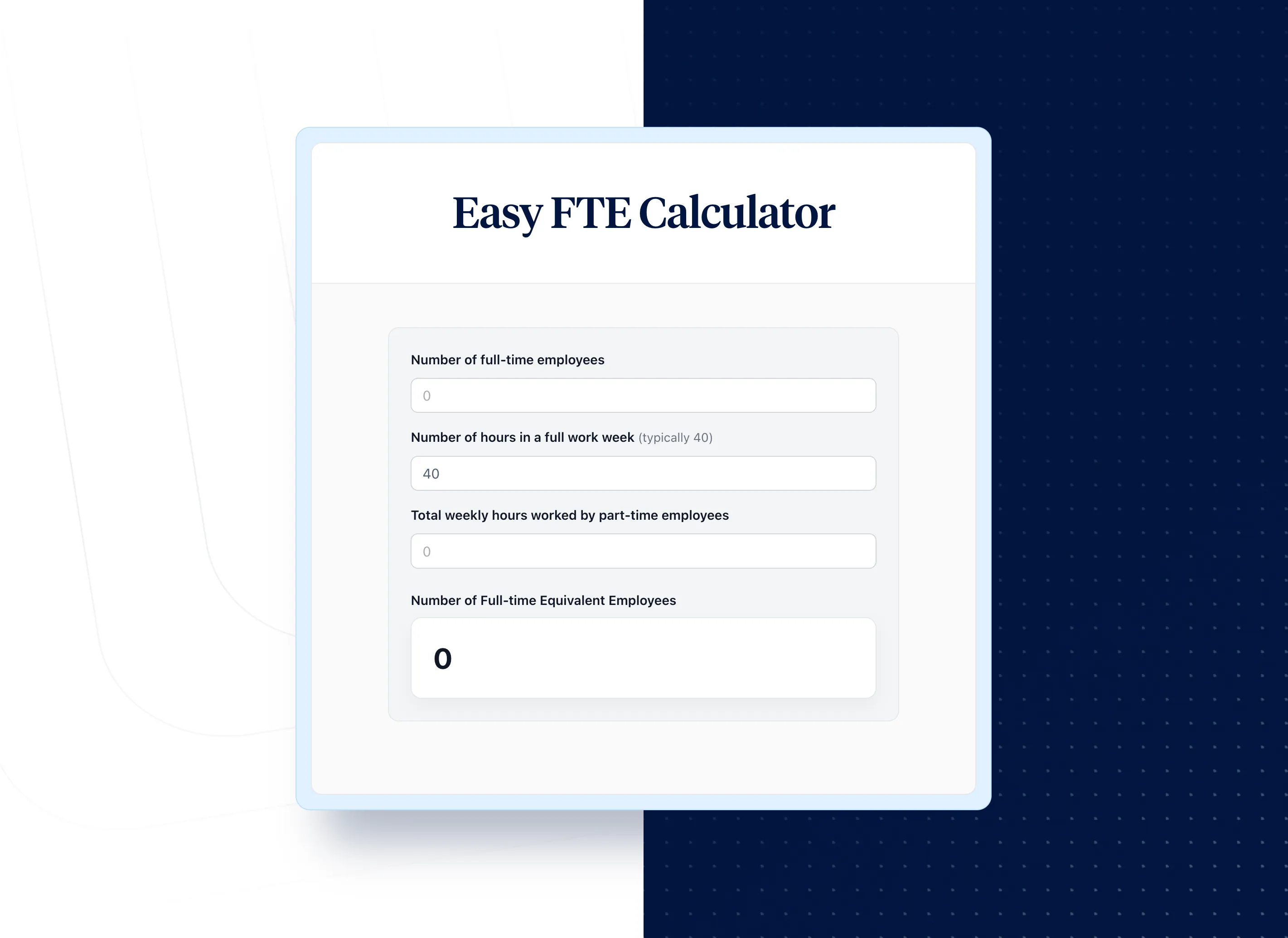
This free FTE calculator helps you estimate the number of full-time equivalent employees on your team by taking work hours and dividing by standard working hours per full-time employee. Use the calculator to streamline your workforce planning and get accurate FTE counts.
Why you need to calculate FTE for your business
FTE calculations help business owners and finance leaders make informed decisions about workforce capacity and labor costs. Without accurate FTE data, organizations often rely on estimates that lead to budget overruns—in fact, 50.1% of finance leaders have experienced budget overruns from improper labor cost tracking.
Here's why calculating FTE matters:
- Budgeting accuracy: Estimate the number of full-time employees needed to complete projects and allocate resources appropriately for budget allocation decisions
- Labor cost visibility: Accurately calculate labor costs consistently across teams with varying work schedules and weekly hours
- ACA compliance: Determine eligibility for Affordable Care Act requirements and avoid employer penalties
- Workforce planning: Identify hiring needs by comparing current FTE capacity to workload demands
- Payroll accuracy: Ensure compensation aligns with actual hours worked across your staff
According to the Bureau of Labor Statistics, understanding workforce metrics is critical for strategic planning. Use this employee calculator to get a clear picture of how many full-time equivalent employees you actually have—not just a headcount that obscures true capacity and productivity.
How to calculate employee costs using FTE
Understanding how much your employees actually cost—for both full-time and part-time employees—provides important insights into your business. Are you billing clients enough? Which employees and roles help increase productivity?
To compute employee costs:
- Multiply the employee's hourly wage by the number of hours worked that year
- Add another 25% to cover payroll taxes, benefits, and overhead expenses
- Add the cost of any bonuses
For example, one full-time employee works 2,080 hours at $30/hour:
- Base salary: $62,400
- Plus 25% overhead: $15,600
- Total employee cost: $78,000
This FTE-based approach helps you calculate labor costs accurately and compare expenses across departments with different staffing mixes. When part-time employees (such as those working 3 days per week or averaging 20 weekly hours) are converted to FTEs, you can fairly compare productivity and make informed business decisions about your workforce.
FTE vs. headcount: Understanding the difference
Headcount counts the total number of employees on your payroll, regardless of hours worked. FTE standardizes this metric by converting part-time hours into full-time equivalents based on working hours in a week.
Example: A company with 5 full-time employees and 20 part-time employees working 20 hours each has:
- Headcount: 25 employees
- FTE: 5 + (20 × 0.5) = 15 FTEs
FTE gives you a more accurate picture of your workforce capacity and helps you estimate staffing needs. When comparing productivity or revenue per FTE, use the FTE calculation rather than raw headcount for fair comparisons. The total number of employees provides context, but the number of FTEs tells you actual capacity.
This distinction matters for compliance, too. Many regulations—including the Affordable Care Act—use FTE thresholds rather than headcount to determine employer obligations and whether organizations qualify as an Applicable Large Employer.
What common FTE values mean for your 40-hour work week
Understanding standard FTE percentages helps you quickly interpret workforce data and make staffing decisions:
- 1.0 FTE: A full-time employee working the standard 40-hour work week (2,080 hours annually)
- 0.8 FTE: An employee working 32 hours per week—often considered full-time for benefits purposes at many employers
- 0.5 FTE: A part-time employee working 20 hours per week
- 0.4 FTE: A part-time employee working 16 hours per week, or approximately 2 days
- 0.1 FTE: An employee working just 4 hours per week
For organizations using a 37.5-hour baseline instead of 40 hours, the FTE calculation adjusts accordingly. An employee working 37.5 hours per week at such an organization equals 1.0 FTE, while one working 30 hours equals 0.8 FTE. These standard FTE calculations ensure consistency across your accounting and workforce reporting.
How to calculate FTE per month
Monthly FTE calculations are useful for tracking seasonal workforce changes and compliance reporting. To calculate FTE for a given month:
- Count all full-time employees (those working 30+ hours per week for ACA purposes, or your organization's standard)
- Add up monthly hours for all part-time employees
- Divide total part-time hours by 120 to get part-time FTE
- Add full-time count + part-time FTE for your monthly total
The 120-hour divisor comes from the IRS methodology for ACA compliance—it represents 30 hours per week × 4 weeks.
For annual planning, many organizations calculate FTE monthly and then average across the year. This provides a more accurate picture than a single point-in-time snapshot, especially for businesses with seasonal staff fluctuations. Input your monthly data into the calculator to determine accurate FTE counts throughout the year.
How time tracking helps with FTE calculations
Time tracking software automatically calculates work hours and employee costs for your entire organization. Instead of relying on estimates or manual calculations, you get accurate data on hours worked by all employees.
This FTE calculator helps you get a clear picture of your workforce, but ongoing labor cost management requires consistent tracking. When you need to calculate FTE regularly, time tracking tools help you:
- Monitor actual hours worked vs. scheduled full-time hours
- Track vacation time and holiday hours accurately over 120 days or more
- Generate finance-ready reports for payroll and budgeting
- Maintain audit-ready records of employee working hours
- Calculate how many full-time equivalent employees you employ for projects
With accurate time data, your FTE calculations reflect reality—not estimates that can lead to compliance issues or budget surprises. Time tracking helps ensure compliance with regulation requirements and provides the data foundation for accurate FTE reporting.
FTE and ACA compliance: Affordable Care Act requirements
The Affordable Care Act defines full-time employment as 30 hours or more per week. Organizations with 50+ FTEs must offer health insurance to full-time employees or face penalties as an Applicable Large Employer (ALE).
To calculate FTE for ACA compliance:
- Count all full-time employees (those working 30+ hours per week)
- Add up monthly hours for all part-time employees
- Divide part-time hours by 120 hours to get part-time FTE
- Add full-time count + part-time FTE for your total
This FTE calculation determines whether your organization qualifies as an ALE under ACA regulations. Understanding full-time equivalent requirements helps you ensure compliance while managing working hours per part-time employee effectively.
Note that seasonal workers may be excluded from ALE determination under certain circumstances. Organizations that employ seasonal staff should carefully track hours to determine if they meet the threshold. Consult with your benefits administrator or legal counsel for organization-specific guidance on health care obligations.
How to calculate revenue per FTE
Revenue per FTE measures organizational productivity and helps benchmark performance against industry standards. The formula is:
Revenue per FTE = Net revenue ÷ Number of FTEs
For example, if your company generated $1 million in revenue with 10 full-time employees working 40 hours and additional part-time employees equivalent to 10 FTEs, the calculation would be:
$1,000,000 ÷ 20 FTEs = $50,000 revenue per FTE
This metric helps you compare productivity across teams and identify opportunities to improve efficiency. Full-time and part-time employees contribute differently to raw output, which is why converting to equivalent full-time positions provides the most accurate comparison for workforce planning and budget allocation decisions. Track this metric quarterly to see how changes in staffing affect your bottom line.
FTE calculations for PPP loan forgiveness
If your organization received a PPP loan, accurate FTE calculations are critical for loan forgiveness applications. The Small Business Administration uses FTE counts to determine forgiveness amounts, making it essential to maintain accurate records of hours worked.
For PPP loan purposes, calculate your average FTE during the covered period and compare it to your pre-pandemic baseline. Organizations that maintained or restored their FTE count qualify for maximum forgiveness. Use this FTE calculator to determine your workload of employees and ensure your documentation supports your forgiveness application.