



The biggest threat to your labor cost data isn't your systems. It's a timesheet nobody filled out.

ClickTime's online timesheet app captures employee work hours accurately—with AI-suggested entries, flexible manual options, and approval workflows that keep every record audit-ready.

Get a demo
Trusted by thousands of companies of all sizes

AI-suggested entries. Human-reviewed. Audit-ready.

Smart Match analyzes activity from Jira, Google Calendar, Outlook, and more—and surfaces suggested time entries directly in ClickTime, with context explaining each match. Employees confirm before anything is submitted. No hours are logged without human sign-off.

AI policies a concern? Smart Match can be toggled off without affecting core time tracking.

  • Suggestions pulled from Jira, Google Calendar, Outlook, and mor
  • Employees review and approve entries inside ClickTime
  • Full audit trail maintained with every suggestion logged

See how Smart Match works →

Less manual entry

Smart Match suggests time entries from connected tools. Employees review and confirm.

More complete data

Automated alerts flag missing timesheets before payroll or billing runs.

Always audit-ready

Every entry is timestamped, categorized, and tied to an approval workflow.

Every other way teams track time, covered too

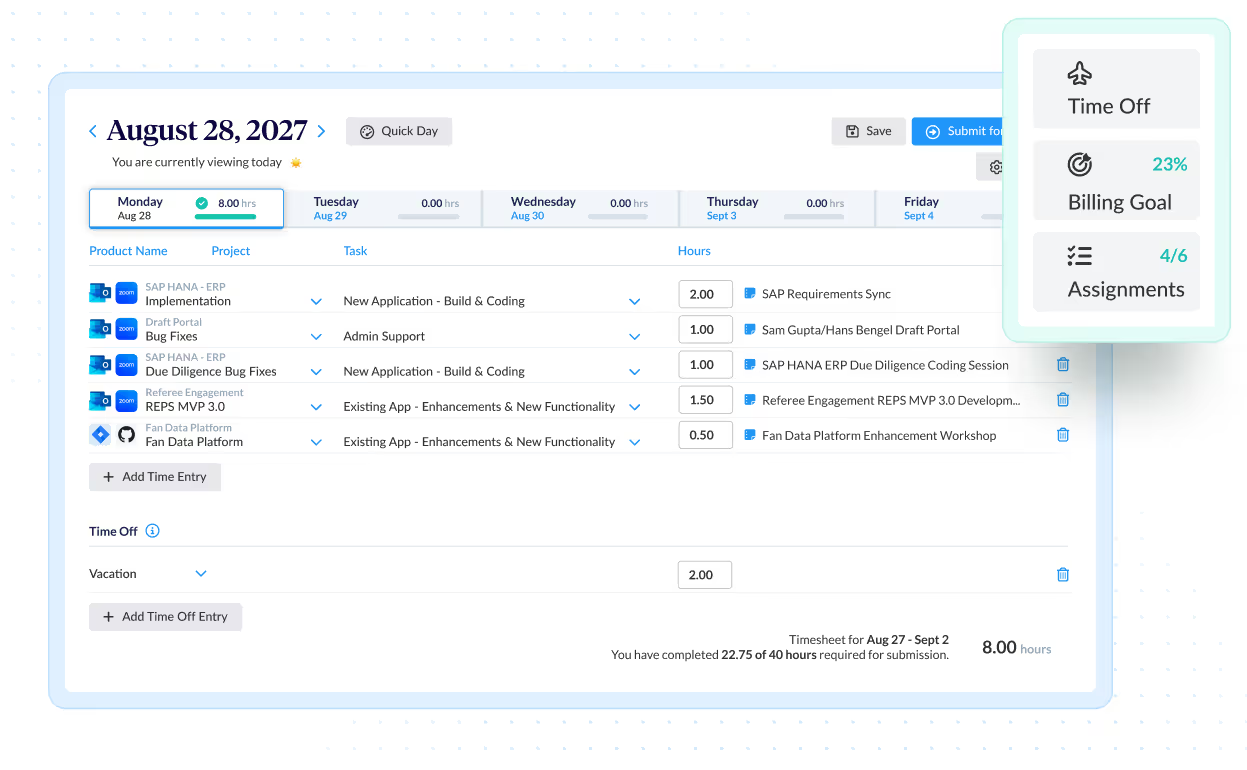
For work that doesn't run through connected tools, employees have flexible entry options that fit how their day actually happens—without sacrificing the structure finance needs.

  • Auto-Fill pre-populates commonly used projects so employees confirm, not reconstruct
  • Quick Week / Quick Day copies prior entries when work repeats
  • Stopwatch captures time mid-task; allocate to a project when ready
  • Web and mobile entry from any device, anywhere
Approvals that catch errors before they cost you

ClickTime's approval workflow gives managers visibility into what's submitted, what's missing, and what looks off—before anything reaches finance or a client invoice.

Know where the gaps are before close

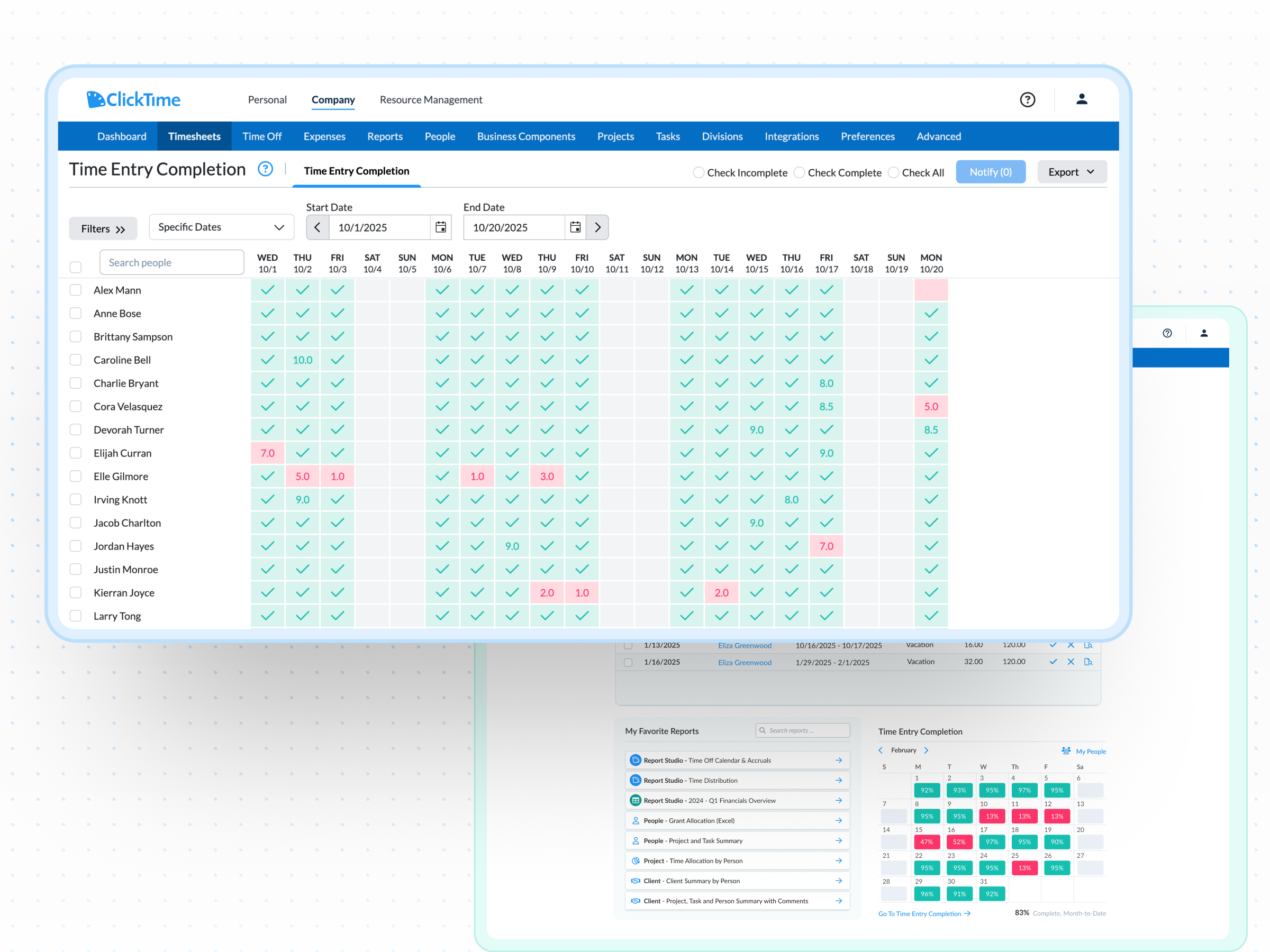
ClickTime's completion dashboard shows submission status across the team in real time. Employees below your hours threshold are flagged automatically—with one-click access to follow up.

  • Real-time view of who has and hasn't submitted
  • Automatic flagging when hours fall below required threshold
  • Finance gets complete data before the books close

See completeness and accuracy →

Integrations

Purpose-built for labor cost data, not pieced together

View all integrations

Every entry includes approval workflows, complete change history, and instant reporting. Whether it's R&D tax credits, client billing disputes, or grant compliance, you have defensible records without scrambling through spreadsheets or Jira logs.

Smart Match
Smart Match
Smart Match
Smart Match
Smart Match
Integrations

Labor data that flows where finance already works

View all integrations

Every entry carries approval status, project categorization, and a complete change history—ready for R&D credits, billing disputes, or audits without spreadsheet archaeology.

Smart Match
Smart Match
Smart Match
Smart Match
Smart Match
Smart Match
Smart Match
Smart Match

Feature FAQs

What is an online timesheet?

A digital record of employee work hours linked to projects, clients, or cost categories—accessible for payroll, billing, compliance, and financial reporting. See time entry options →

How do timesheet approvals work?

Employees submit through a structured approval workflow. Managers review, approve, or flag entries. Every step is logged with a timestamp.

What is Smart Match?

An AI feature that suggests time entries from connected tools (Jira, Calendar, Outlook) for employee review inside ClickTime. Nothing submits without human confirmation. Can be disabled without affecting core time tracking. Learn more →

Does ClickTime support DCAA or R&D tax credit compliance?

Yes—ClickTime's approval workflow and change history create the verifiable records these requirements demand. See DCAA features and R&D tax credit tracking.

How do you get employees to submit on time?

Smart Match, Auto-Fill, mobile access, and automated reminders make submission the path of least resistance. Managers see exactly who hasn't submitted. Read more →

How does timesheet data connect to financial reporting?

Every entry is tied to your custom cost structure at the moment of entry and exports directly to ERP systems, billing platforms, and BI tools—no manual reformatting. See integrations and client billing.

Stop losing visibility into your largest expense

Book a demo
Ask a question